Cara menambahkan proksi NetNut di ixBrowser
Langkah 1:Unduh, instal, dan daftar ixBrowser
Situs web resmi ixBrowser:https://ixbrowser.com/cn?utm_source=netnut
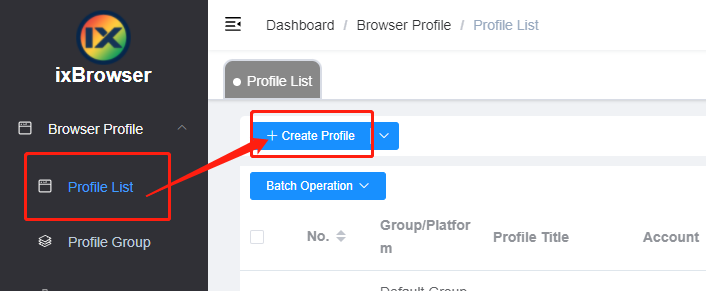
Langkah 2:klik tombol “Create Profile” di Daftar Profil
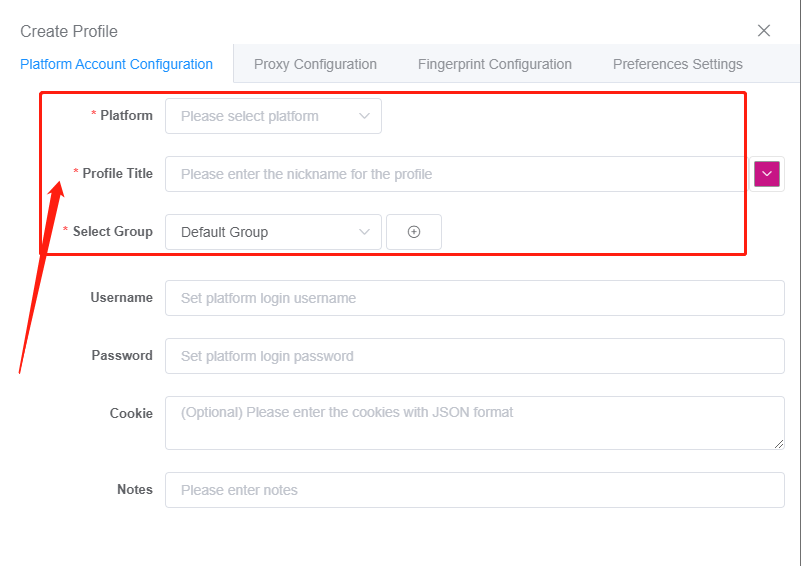
Langkah 3:pilih platform dan grup, isi informasi profil
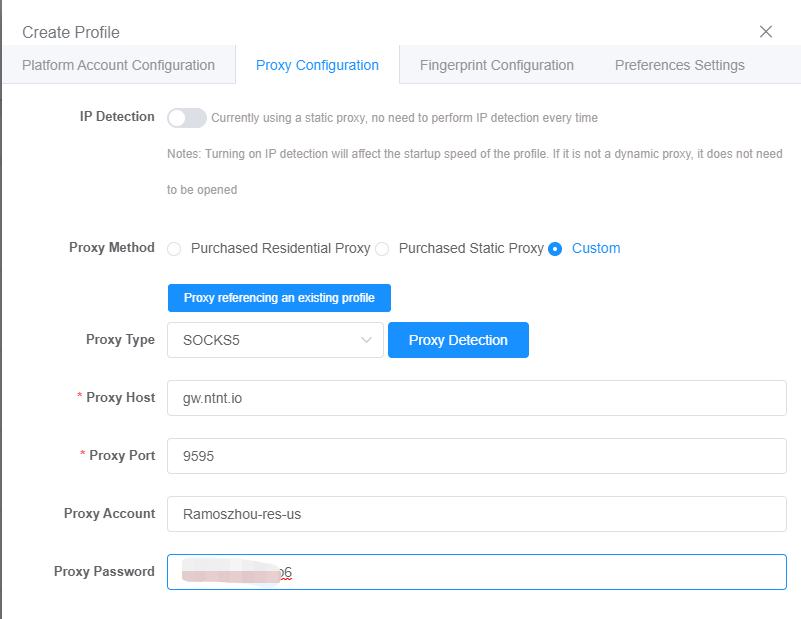
Langkah 4:buka halaman Konfigurasi Proksi, karena NetNut mendukung protokol HTTP/HTTPS/SOCKS5, Anda dapat mengisi informasi konfigurasi yang sesuai sesuai kebutuhan
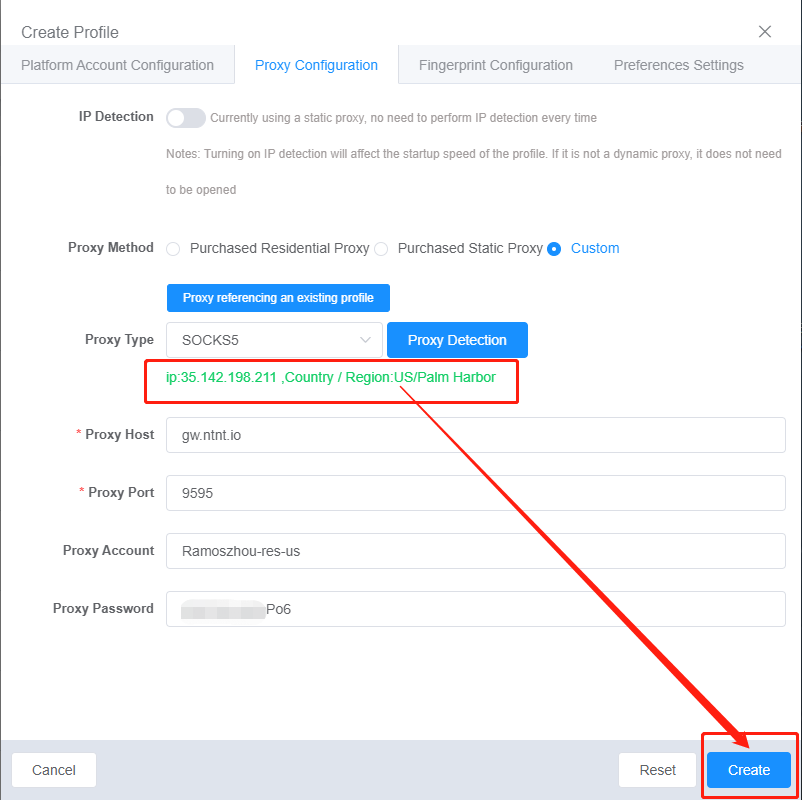
Langkah 5:setelah deteksi berhasil, klik tombol “Create” di bawah untuk menyelesaikan pengaturan proksi dan operasi pembuatan profil
Situs web resmi ixBrowser:https://ixbrowser.com/cn?utm_source=netnut
Langkah 2:klik tombol “Create Profile” di Daftar Profil
Langkah 3:pilih platform dan grup, isi informasi profil
Langkah 4:buka halaman Konfigurasi Proksi, karena NetNut mendukung protokol HTTP/HTTPS/SOCKS5, Anda dapat mengisi informasi konfigurasi yang sesuai sesuai kebutuhan
Langkah 5:setelah deteksi berhasil, klik tombol “Create” di bawah untuk menyelesaikan pengaturan proksi dan operasi pembuatan profil